
Apearance
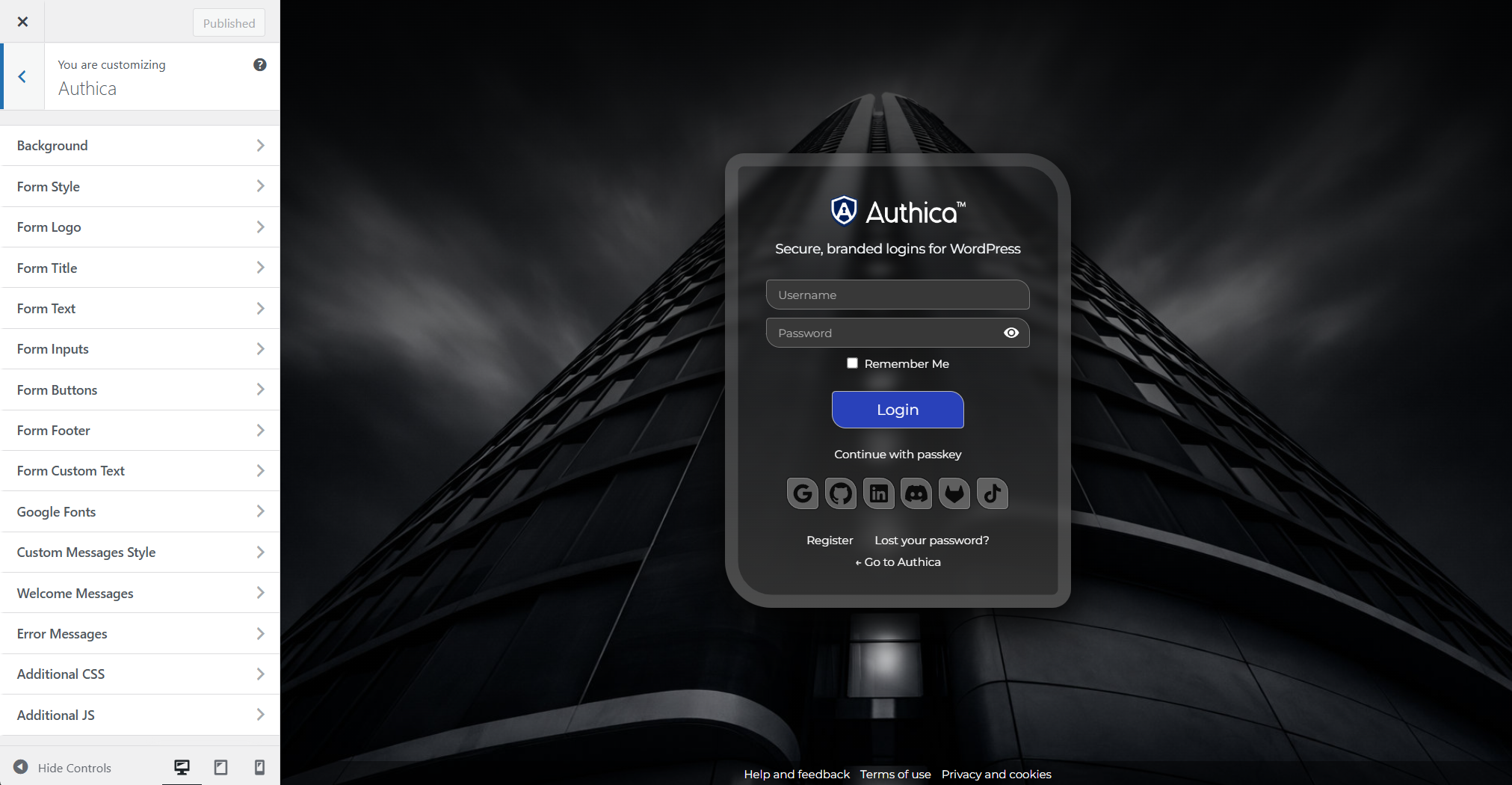
The Authica Customizer lets you design and preview your WordPress login page in real time.
From this screen, you can adjust the login background, form style, logo, title, text, input fields, buttons, footer links, messages, fonts, and custom CSS or JavaScript.
Changes are shown in the live preview, so you can see how the login page will look before publishing.
What You Can Customize
Authica includes customization sections for:
– Background image, color, overlay, and visual effects
– Login form style, spacing, borders, shadows, and glass effects
– Logo image and logo sizing
– Form title and subtitle text
– Form text, links, labels, and footer content
– Username and password input styling
– Login button and social login button styling
– Google Fonts
– Welcome and error message styling
– Additional CSS and JavaScript
Live Preview
The preview area shows the Authica login form as visitors will see it.
As you change settings, the preview updates so you can test different layouts, colors, fonts, and branding choices without leaving the Customizer.
You can safely experiment with different styles in the preview area before saving them publicly.
Recommended Usage
Use the Customizer to match the login page with your website branding.
A good setup usually includes:
– A clear logo
– Readable text and input fields
– A background that does not reduce form visibility
– Button colors that match your brand
– Welcome and error messages that are easy to read
Important Notes
Keep the login form easy to use. Strong branding is helpful, but the login page should remain readable, accessible, and clear on desktop and mobile devices.
After publishing major design changes, test the login page on both desktop and mobile.