
WAF Block Responses
The Block Responses tab controls what happens when Authica’s Web Application Firewall blocks a suspicious request.
These settings apply when WAF Mode is set to Block in the Sensitivity / Mode tab. They determine what response the visitor receives and whether the blocked IP should also be added to IP Restriction.
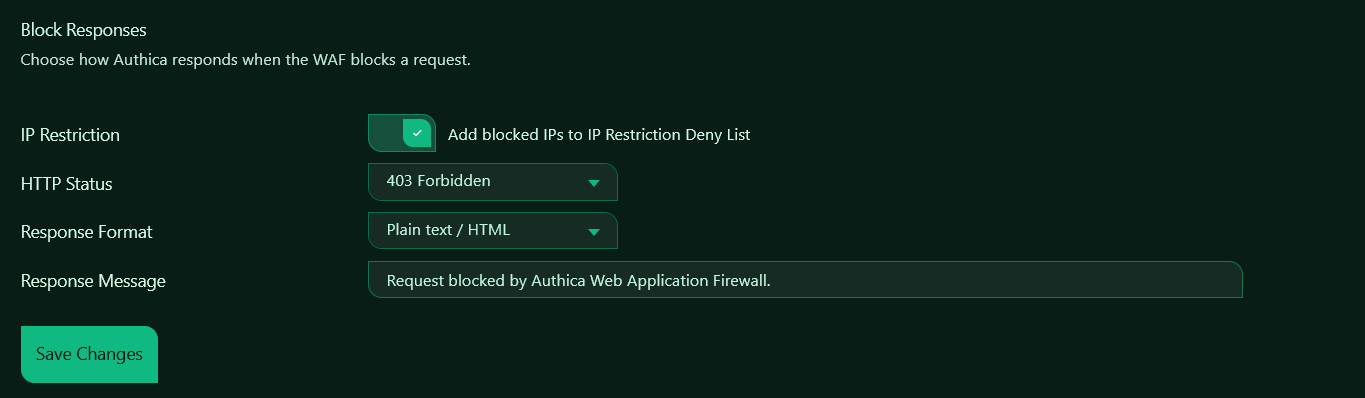
IP Restriction
The Add blocked IPs to IP Restriction Deny List option controls whether Authica automatically adds blocked WAF offenders to the IP Restriction Deny List.
When enabled, any IP blocked by the WAF can be added to:
IP Restriction → Deny List
This helps stop repeat attackers before they continue sending suspicious requests.
WAF-added deny entries are marked as WAF Block in the Deny List. These automatic entries can also use the expiration duration configured under:
Brute Force Protection → Brute Force Duration
Manual Deny List entries are not removed automatically.
HTTP Status
The HTTP Status setting controls which HTTP response code Authica sends when a WAF request is blocked.
403 Forbidden
Returns a standard forbidden response.
Use this when you want blocked requests to clearly receive an access-denied response. This is the most direct and common option for firewall blocking.
404 Not Found
Returns a not-found response.
Use this when you want suspicious visitors or bots to see the request as missing instead of explicitly blocked. This can reduce information disclosure and make protected endpoints look unavailable.
When configured to use your WordPress 404 behavior, Authica can show your site’s normal 404 page instead of a generic server response.
Response Format
The Response Format setting controls how the block message is returned.
Plain text / HTML
Returns the configured response message as a simple browser-readable response.
This is useful for normal websites where blocked visitors should see a clear message.
JSON
Returns the block response in JSON format.
This can be useful for API-style endpoints, integrations, or AJAX requests where clients expect structured JSON responses.
Response Message
The Response Message field controls the message shown when Authica blocks a request.
Example:
Request blocked by Authica Web Application Firewall.
This message is shown when the selected response format allows a visible message.
For public-facing sites, keep the message short and generic. Avoid revealing detailed rule names, internal paths, plugin details, or security configuration.
Recommended Configuration
For most websites, a good default setup is:
Add blocked IPs to IP Restriction Deny List: Enabled
HTTP Status: 403 Forbidden
Response Format: Plain text / HTML
Response Message: Request blocked by Authica Web Application Firewall.
For stealthier blocking, use:
HTTP Status: 404 Not Found
This makes suspicious requests look like missing pages instead of confirmed security blocks.
Saving Changes
After changing block response settings, click Save Changes.
Changes do not apply until they are saved.
Related Settings
Firewall Rules
Choose which WAF rule categories are active.
Sensitivity / Mode
Choose whether WAF matches are blocked or only monitored.
Exclusions
Exclude trusted paths or parameters from WAF inspection.
IP Restriction → Deny List
Review IPs automatically added by WAF blocking.
Brute Force Protection
Controls the duration used for automatic deny-list entries when WAF IP blocking is enabled.